
Took the long weekend to go to Dandeli in North Karnataka. Having heard so much about the forest over the years, maybe I expected too much. Species density for both, flora and fauna – was decidedly low although the forest itself looked lush enough at first glance. However, being mostly Teak plantation, even that tattered veil will be torn aside once the leaves fall in early March.
Monthly Archives: January 2005
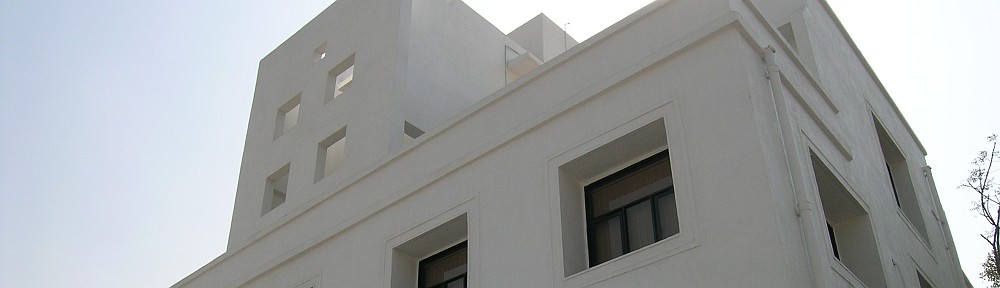
Khairne Office Inaugurated [2P]
 Yesterday was the official ribbon-cutting ceremony for the office building I’ve designed at Khairne – Navi Mumbai.
Recycling grey water
Made a flying visit to Pune to meet potential consultants for dealing with grey and kitchen waste water. At the very least, we’d like to deliver kitchen water to the landscaped areas of the garden. If possible, the soapy shower/washing machine water can be filtered and reused for flushing. Sometimes, people hesitate to adopt such systems, but if it is demonstrated that the filtered water is as good or even better than what they get in the municipal pipeline, one can usually convince them of the benefits.
Another Link for OttoPDF
Bill Landskroener from the US very kindly took the trouble to write in with a new link from which you can download OttoPDF – a stand-along freeware utility that converts AutoCAD drawings to PDF files. The developer pulled the plug on the app and downloads were hard to find. Now, thanks to Bill, you have one.
There is a site search available but it didn’t work when I tried so you’ll have to go to the Utilities section and then to the Conversion sub-section and then hunt through the pages therein.
To know more about OttoPDF, check the PDF Utilities section.
Remove Buzzsaw and other Icons
Having reloaded the system from scratch because of repeated crashes, I realised that some things needed to be relearned at my end. One that nearly drove me crazy was AutoCAD’s insistence on putting the buzzsaw, RedSpark and PointA icons in the “Save” dialog box. Now it’s easy to get rid of Autocad Today – that option clearly exists, however, removing those annoying icons was a different matter altogether. I remember using a small utility to do that the last time around but I couldn’t for the life of me find it this time. That meant a journey into the registry. In the end, it was simpler than I expected.
NOTE: As always, fiddling with the registry can be dangerous so do this at your own risk – and only if you know how to make a backup beforehand.
Navigate to:
HKEY_CURRENT_USER . software . Autodesk. AutoCADRx . CAD-xxxxProfiles . [your_profile_name] . Dialogs AllNavDialogs
Here, you have to create a new key in the left pane.
Name this key DeletedExtensions
In the right hand pane, you will now need to add two new strings to the key you just created: Buzzsaw and RedSpark
Repeat this procedure for each of the profiles you have.
Scroll down to:
HKEY_CURRENT_USERsoftwareAutodeskFileNavExtensions
It will have two strings in the right hand pane- FTPSites and SimpleFileStorage.
The first corresponds to FTP folders and the second to PointA.
Delete whichever you want. I got rid of the entire key.